Meetings and getting back to clients: a CRM that keeps track of dates
Bookings from three calendars go into the CRM by themselves, cancelled meetings turn into tasks, and a client who said no comes back on the list after 30, 60 and 90 days.
At a glance
| Process | booking consultations, cancellations and reschedules, contact after a refusal |
|---|---|
| Tools | TidyCal, Make, Airtable, Airtable automations |
| Languages | three calendars — Polish, English, Ukrainian — in one CRM |
| Result | every meeting in the CRM without duplicates, no cancellation left without a response, no contact closed for good |
The starting point
Consultations are booked through an online calendar — in three languages. Without automation every booking had to be copied into the CRM, checked against earlier form enquiries from the same person, and cancellations had to be remembered.
Most of the value, though, slipped away after the meeting. A client who says “not just yet” often comes back a few weeks later — provided someone gets in touch. And that is easy to forget.
How it works
The booking goes into the CRM. Every hour the scenario checks for new meetings in all three calendars — for consultations booked in advance that is more than enough.
The system looks the person up by email address. If they filled in the form earlier, their card moves to the “consultation booked” stage with the meeting date and the step “prepare for the consultation”. If it is a new person, a new card is created. No duplicates.
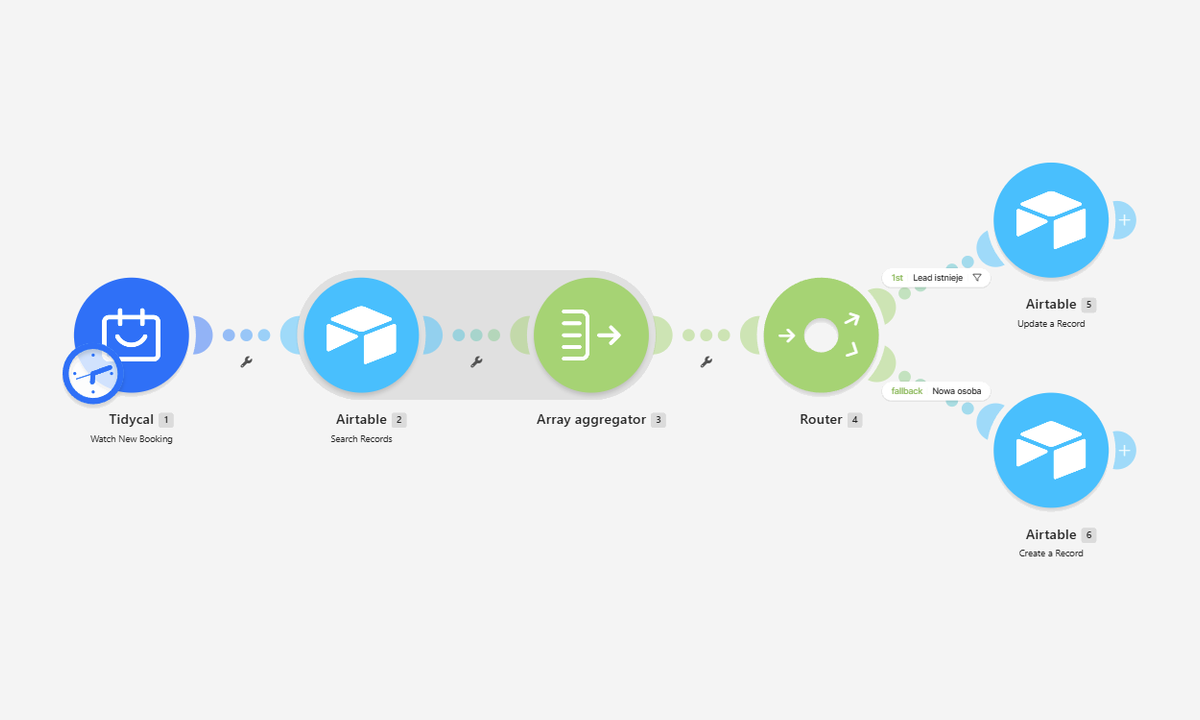
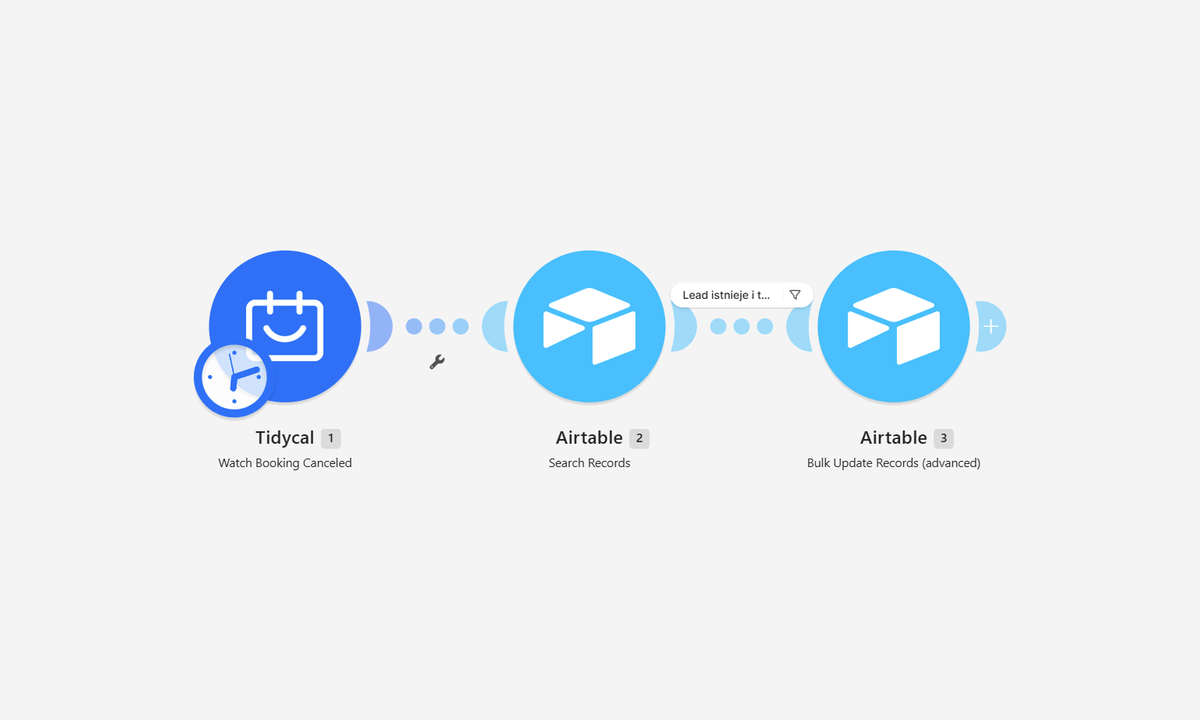
A cancellation does not go unanswered. When a client cancels, the card comes back in the CRM with the task “propose a new date”. A rescheduled meeting is updated in the CRM just like a new booking.
Getting back to clients after 30, 60 and 90 days
When a client says no after the call, we mark the card as lost and enter the reason. From then on everything happens by itself:
- the date of the refusal is recorded automatically,
- the CRM calculates contact dates after 30, 60 and 90 days,
- every day at 8:00 an email arrives with the list of people to contact today — only when somebody is on it,
- after the third contact the person drops off the list for good, and if they come back to talks earlier, the reminders switch off by themselves.
The reminder comes to us, not to the client. That is a deliberate choice: a refusal is a delicate moment, and a message that refers to the actual conversation works better than a template. The automation keeps track of the date; a person writes the message.
This part runs entirely in Airtable automations, so it does not use up operations in Make.
What changed
- Every meeting is in the CRM. A booking from any of the three calendars moves the client’s card to the right stage by itself.
- One person, one card. Someone who filled in the form first and booked a slot later does not create a duplicate.
- Before the call we know who we are talking to. The card shows the source, the language and everything the client wrote earlier.
- A cancelled meeting does not disappear. It turns into a task to propose a new date.
- A “no” does not close the contact. The client comes back on the list after 30, 60 and 90 days, and the list works in the mobile app too — you can call straight from it.
- What is urgent stands out. Cards in the kanban are colour-coded and sorted by deadline.
Data for decisions
The sales dashboard in the CRM shows on one screen the pipeline stages and value, client sources and reasons for lost deals. It also counts how many people came back to talks after a refusal — after a few months it is clear whether getting back to clients pays off.
The sources show which channel brings in conversations, so it is clear where to spend the ad budget. The reasons for lost deals show what to improve in the offer. This is data that cannot be gathered from memory.